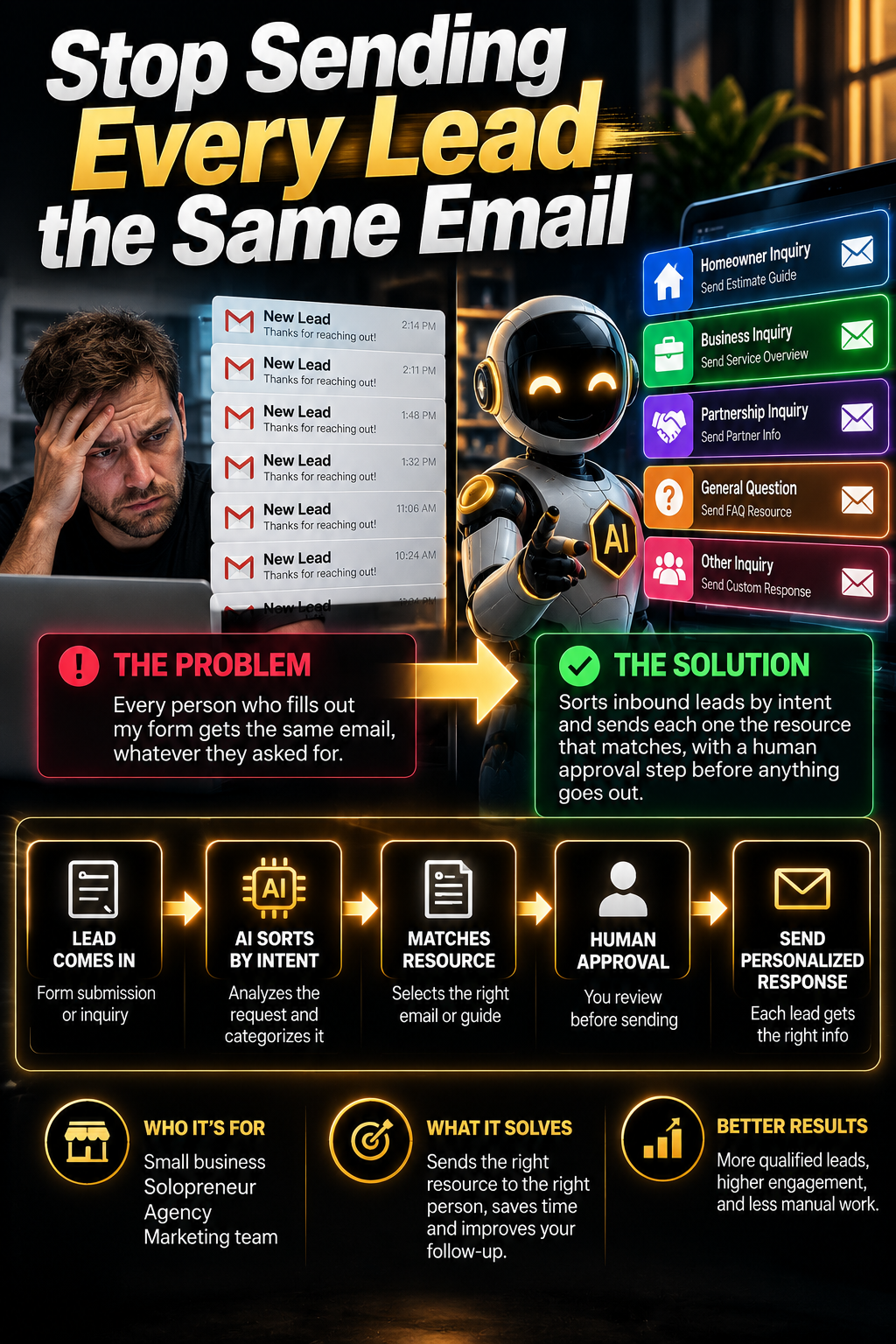
- Pain point
- Every person who fills out my form gets the same email, whatever they asked for.
- Who it's for
- Small business, Solopreneur, Agency, Marketing team
- What it solves
- Sorts inbound leads by intent and sends each one the resource that matches, with a human approval step before anything goes out.
- Time to implement
- 2–3 hours
Three people fill out your form on the same Tuesday. One wants to build an app. One wants to fix their content pipeline. One is a curious student who will never buy anything. All three get the identical email, because you wrote one autoresponder eighteen months ago and you've been too busy to think about it since.
The app person needed a build walkthrough. The content person needed your repurposing guide. The student needed nothing. Your one email was mildly useful to none of them, and now all three have decided what your business is based on the least relevant thing you've ever sent them.
The fix isn't writing a better single email. It's having the system read what the person actually said and send the thing that matches.
Why a better autoresponder doesn't fix this
The instinct is to rewrite the email. Make it warmer, add more links, cover more ground. That makes it worse — a single email trying to serve five different intents ends up being a menu, and a menu is what people ignore.
The second instinct is manual sorting: read each submission, pick the right resource, send it yourself. That works beautifully at four leads a week and collapses entirely at twenty, usually right when things are going well.
What's actually missing is a classification step. Something has to read the message, decide which of a handful of known buckets it belongs in, and hand it to the sequence built for that bucket. That's a small, well-defined job — and it's exactly the kind of job a language model is reliable at, because you're not asking it to be creative. You're asking it to sort.
Same three people. The only thing that changed is a sorting step.
What you're building
A form submission lands. An AI step reads it, assigns it to one of your intent categories with a confidence score, and pulls the matching resource. A reply gets drafted from a template you wrote, using only links from a list you control. That draft goes to you for a one-tap approve — not straight out the door.
The review gate is the whole design. It's what makes this safe to run on real leads on day one, and it's the thing most tutorials leave out.
Step 1 — Make the form do half the work
Before any AI touches this, fix the form. Most forms ask for name, email, and "message," which means the classifier is guessing from whatever the person felt like typing.
Add one dropdown: What are you trying to do? with four or five options matching your categories, plus "something else." That single field will correctly route the majority of your leads with no AI at all, and it gives the classifier a strong signal for the rest.
Keep the free-text box too — that's where the useful detail lives, and it's what lets the reply feel like a reply instead of a form letter. But don't make the AI do work a dropdown can do for free.
Step 2 — Define your categories and what each one gets
This is the part to do on paper before you open any tool. Each category needs a name, a signal you'd recognise it by, the free resource it receives, and the lesson or page it points to. Here's how it maps for a site like this one:
| Intent | Sounds like | Gets sent |
|---|---|---|
| Content systems | "posting consistently", "repurposing", "running out of ideas" | Repurposing guide + the content module lesson |
| Build an app or funnel | "I have an idea", "no-code", "landing page", "MVP" | Lovable walkthrough + the build module |
| Automate my ops | "manual work", "spreadsheets", "follow-up", "too many hours" | Automation starter + the n8n module |
| Sell AI services locally | "clients", "agency", "local businesses", "offer" | Local services kit + outreach scripts |
| Browsing / unclear | Vague, short, or a general question | Newsletter welcome only — no pitch |
Five is the ceiling. Every category you add makes classification less accurate and gives you another sequence to maintain. If you're tempted to add a sixth, it usually belongs inside one of the five.
That last row matters more than it looks. Having a deliberate do-nothing-much category is what stops the system pitching someone who just asked a question. Not every lead is a lead.
Step 3 — The classifier
One AI call, one job: sort. No writing yet. Keeping classification and drafting as separate steps is what makes the whole thing debuggable — when something goes wrong you can see immediately whether it misread the person or just wrote a bad email.
You are classifying an inbound lead for a website that teaches people to
build income systems with AI tools.

THE SUBMISSION
Name: {{name}}
Selected option: {{dropdown_choice}}
Message: {{message}}

CATEGORIES — choose exactly one
content_systems  — posting consistently, repurposing, content production
build_app        — building an app, funnel, landing page, or MVP
automate_ops     — removing manual work, follow-up, admin, spreadsheets
local_services   — selling AI services to clients or local businesses
browsing         — vague, a general question, a student, or unclear intent

RULES
- If the selected option and the message disagree, trust the message.
- If the message is under 10 words and generic, classify as browsing.
- Never guess between two categories to be helpful. Low confidence is
  a valid and useful answer.
- Do not infer budget, company size, or urgency unless stated outright.

OUTPUT — valid JSON only, nothing else
{
  "category": "one of the five exactly",
  "confidence": 0.0 to 1.0,
  "evidence": "the words from their message that decided it",
  "specific_detail": "one concrete thing they mentioned, for the reply,
                      or null if there is nothing specific",
  "needs_human": true if the message mentions refunds, complaints,
                 partnerships, press, legal, or anything outside the
                 five categories
}
Two fields there do unusual amounts of work. evidence gives you a debug trail — when a lead gets misrouted you can see exactly which phrase caused it and fix the prompt, rather than shrugging. And specific_detail is what lets the reply reference their actual situation instead of their category.
Step 4 — The drafter, with its hands tied
Now the reply. The critical design constraint: the AI assembles, it doesn't invent. It receives your pre-written template and a fixed list of approved links, and its only freedom is one opening line that acknowledges what the person actually said.
An AI given a blank page and a lead will happily promise a discount, a call, a delivery date, or a feature you don't have. Give it a filled page and one blank line instead. Everything it can say is something you already approved.
You are drafting a reply to an inbound lead. You are assembling a message
from approved pieces, not writing freely.

WHAT YOU KNOW
Name: {{name}}
Category: {{category}}
What they specifically mentioned: {{specific_detail}}
Their message: {{message}}

APPROVED TEMPLATE FOR THIS CATEGORY
{{template_body}}

APPROVED LINKS — you may use these and no others
{{approved_links}}

YOUR ONLY JOB
1. Write ONE opening line, maximum 20 words, referencing the specific
   thing they mentioned. If specific_detail is null, use the approved
   generic opener instead. Do not invent a detail.
2. Insert the approved template body underneath, unchanged.
3. Sign off with the approved signature.

ABSOLUTELY FORBIDDEN
- Any price, discount, timeline, guarantee, or availability claim.
- Any link not in the approved list.
- Any promise of results, income, or outcomes.
- Any claim about what the product does beyond the template.
- Booking a call, or implying someone will call them.
- Inventing a detail they did not mention.

If you cannot write the opening line without breaking a rule, return
exactly: NEEDS_HUMAN

OUTPUT
{ "subject": "...", "body": "...", "flag": null or "NEEDS_HUMAN" }
Step 5 — The review gate
Every draft goes to you first. Not to the lead. This is non-negotiable for at least the first two weeks, and it's the difference between an automation you trust and one you quietly turn off after it embarrasses you.
Practically: the draft lands in Gmail drafts, or as a Slack message with the reply text and an approve button, or as a row in a sheet you scan twice a day. Any of those work. What matters is that approving takes one tap, because a review step that's annoying is a review step you'll skip.
Anything with confidence under 0.7 or needs_human: true skips drafting entirely and comes to you raw. Don't let the system write a confident reply to something it didn't understand.
Step 6 — Wire the sequences in MailerLite
The first reply is one email. The follow-up is where routing actually pays off.
Create one group per category — content-systems, build-app, automate-ops, local-services, newsletter-only. The workflow adds the lead to their group at the same time it drafts the reply. Each group has its own short automation: the matching free resource, then two or three emails over the following week that go deeper on that topic.
Three emails is plenty. And the browsing group gets your normal newsletter and nothing else — no sequence, no pitch. People who came to look around and were left alone are the ones who come back.
Step 7 — Build it in n8n or Make
Either tool does this. Pick n8n if you want to self-host and keep the data on your own infrastructure; pick Make if you want the gentler interface and don't mind the hosted model. The node chain is the same shape in both:
You don't have to start from a blank canvas. n8n's community library has a whole lead-generation category with working routing and qualification workflows you can import and gut, and Make's template library covers similar ground. Import one, strip out what you don't need, and replace the prompts with yours. Reading someone else's working workflow teaches you more in twenty minutes than an hour of docs.
Submit your own form six times — once per category, plus one deliberately vague and one mentioning a refund. You should see five clean classifications, one browsing, and one needs_human. If a category consistently misfires, the fix is in the classifier's category descriptions, not in the drafter.
Step 8 — Earning the right to auto-send
After two weeks of reviewing, look at your own behaviour. For each category, what percentage of drafts did you approve completely unchanged?
Any category running above roughly 90% unchanged can graduate to auto-send — but only when confidence is high. Everything else keeps the review gate. You'll usually find the clear-cut categories graduate fast and the vague ones never do, which is the correct outcome, not a failure.
Keep a copy of every auto-sent email landing in your inbox. Not to approve — just so you see what's going out in your name.
What to actually measure
- Classification accuracy. Read 20 routed leads and count how many went to the right bucket. Under 85% means your categories overlap and need redrawing.
- Edit rate per category. How often you rewrite before approving. This tells you which template is weak.
- Reply rate. Compare against your old generic email. This is the number that tells you whether relevance actually mattered for your audience.
- Time to first reply. Even with a review gate, this should drop sharply, because approving a good draft is faster than writing from scratch.
Where this breaks
- Categories that overlap. "Automate my ops" and "build an app" blur constantly — someone wants an app to automate something. Write your category descriptions to be mutually exclusive, and accept that some leads are genuinely ambiguous.
- Short messages. "Hi, tell me more" contains no signal. That's what the browsing category is for. Don't tune your prompt trying to extract intent that isn't there.
- The drafts start sounding samey. If the opening line is the only variable, people who get two emails will notice. Write three template variants per category and rotate.
- You stop reviewing. The gate only works if you actually look. If you find yourself approving without reading, either the volume is too high for this design or you've earned auto-send — decide deliberately rather than drifting.
- It won't fix a bad offer. Routing gets the right message to the right person. If the message isn't compelling, you've just made irrelevance arrive more precisely.
- Model output drifts. Prompts that worked six months ago can behave differently after a model update. Re-run your six test submissions quarterly.
What to do next
Thirty minutes, today, no tools: open a document and write your five categories. For each one, name the signal you'd recognise it by, the resource it gets, and the page it links to.
If you can't fill that table, the automation isn't the blocker — the routing decisions are, and no workflow builder makes those for you. Once the table exists, the build is an afternoon.
Then add the dropdown to your form. That one field starts improving your routing before you've automated anything at all.
The build, in one card
- Form has one routing dropdown plus a free-text box
- Five categories, each with a resource and a lesson link
- Classify and draft are separate steps, so failures are debuggable
- Drafter works from approved templates and an approved link list only
- Nothing sends without passing the review gate
- Low confidence and flagged leads skip drafting and come to you raw
- Tested with six self-submissions before a real lead touches it
One new build every day
Free. Plain English. No fake income claims.
Next in The Lab
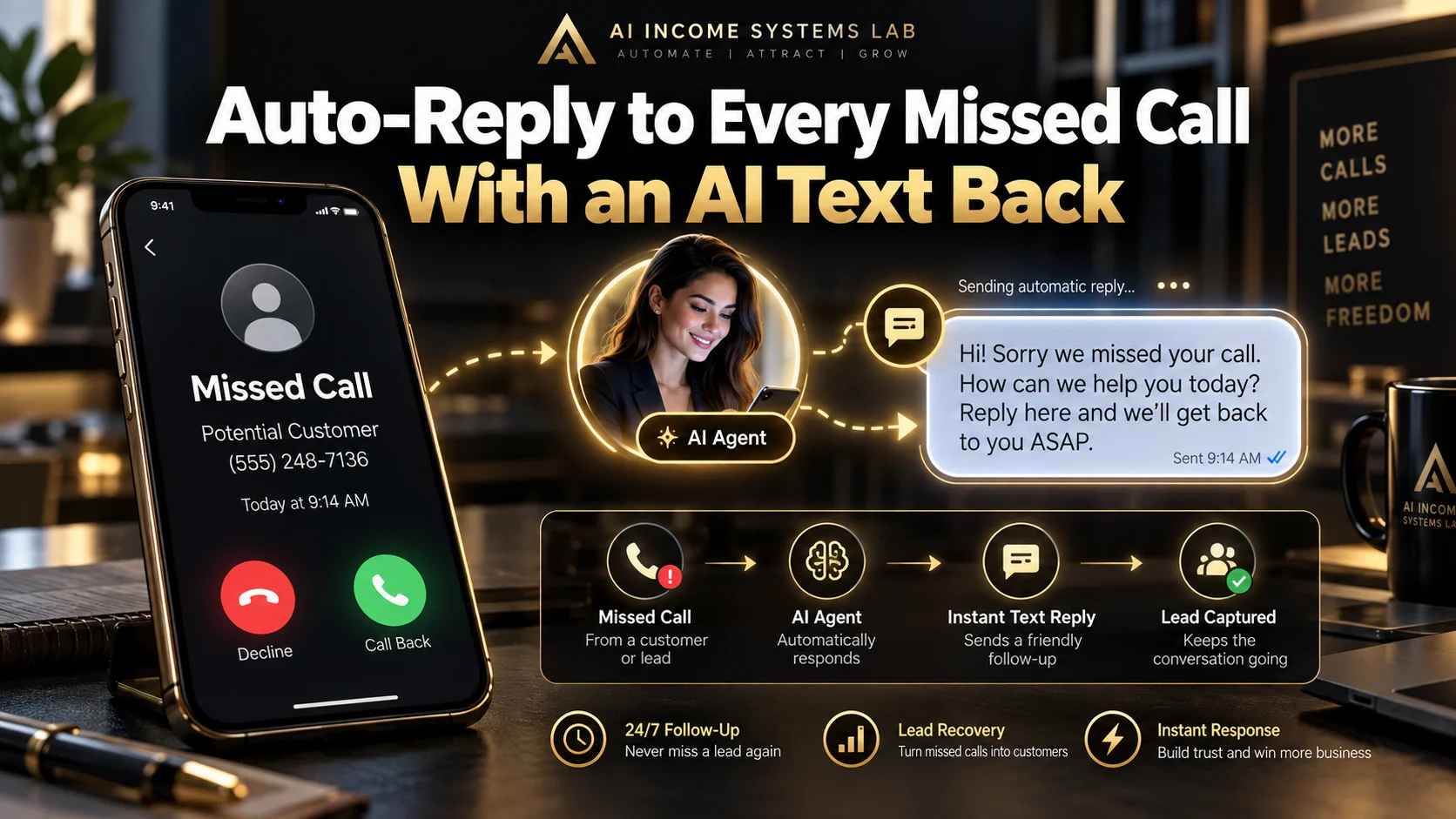
Auto-reply to every missed call with an AI text back
Pain point
Missed calls during jobs turn into lost work.
What it solves
Every missed call gets a fast, human-sounding text back so the caller stays with you.

Build Your First Digital Product With AI
Pain point
You have useful knowledge but keep getting stuck between vague AI-generated ideas and a digital product you can actually finish and publish.
What it solves
Turns a vague product idea into a validated, packaged, priced, published, and promoted first digital product using a clear sequence and copy-paste AI prompts.