- Pain point
- AI agents can send unapproved messages, make promises, or change important records without a human checking the action.
- Who it's for
- Small business owners, Freelancers, Automation builders, Service businesses
- What it solves
- A reusable n8n approval workflow that routes low-risk tasks automatically, pauses customer-facing actions for approval, and logs every decision.
- Time to implement
- 3–5 hours for a basic build, plus testing
The Problem With Giving AI Too Much Freedom
Most people start building AI automations the same way.
First, they automate a tiny task.
Then another.
Then they discover AI agents and think: "Why don't I just let the agent handle the whole thing?"
That's where things can go sideways.
An AI agent is useful because it can interpret messy information, make decisions, choose tools, and take actions. But those same abilities mean the agent can make a decision you didn't expect.
Maybe it sends an email you wouldn't have approved.
Maybe it changes the wrong CRM record.
Maybe it interprets a customer complaint as a refund request.
Maybe it confidently performs the wrong action because the customer's message was ambiguous.
The answer is not to stop using agents.
The answer is to build a system that understands the difference between:
- something AI can safely handle alone,
- something AI can prepare but a person should approve, and
- something AI shouldn't be allowed to execute at all.
The Architecture We're Building
↓
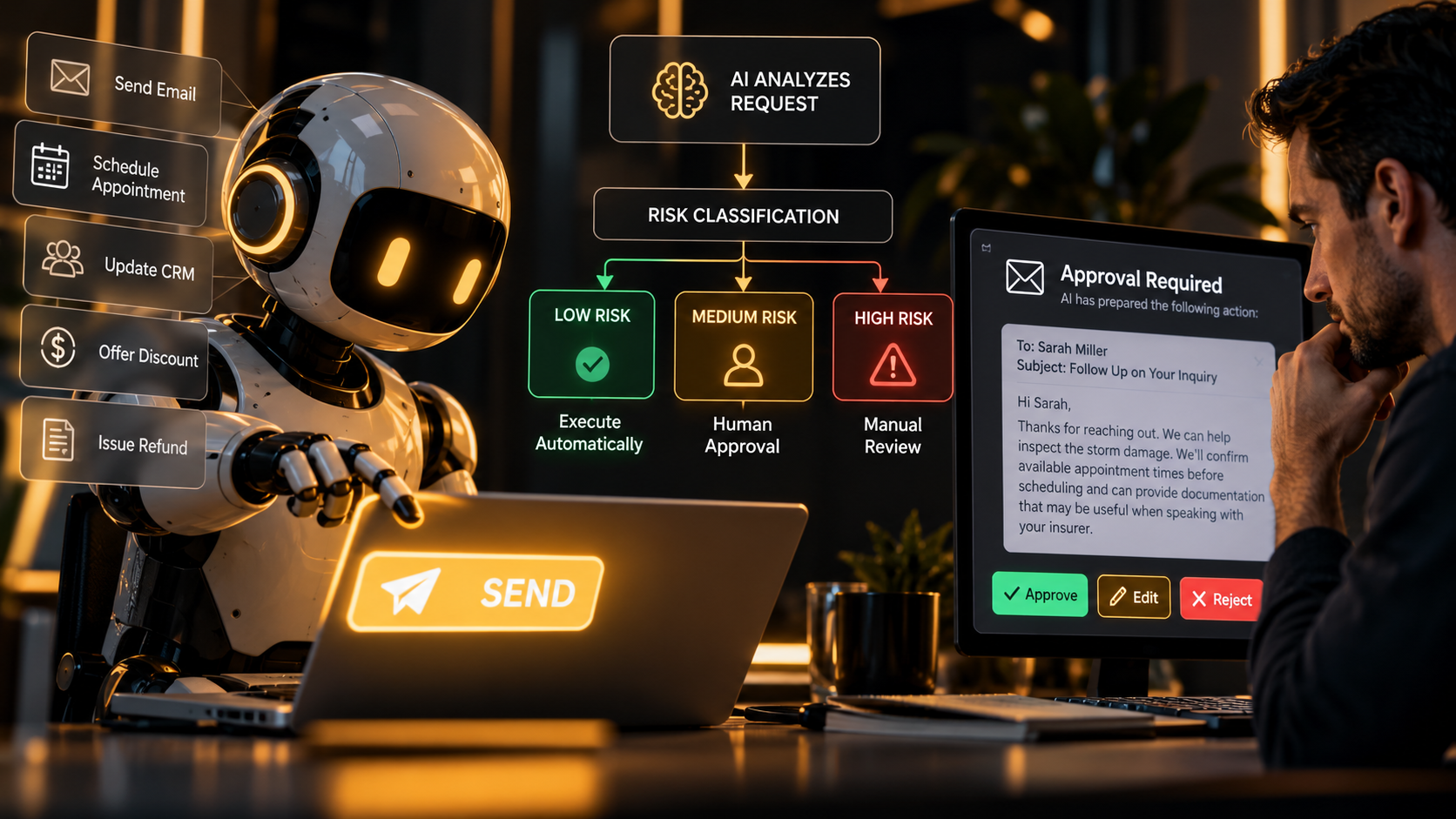
AI AGENT ANALYZES REQUEST
↓
RISK CLASSIFICATION
↓
LOW RISK → Execute Automatically
MEDIUM RISK → Human Approval
↓
Approve / Edit / Reject
HIGH RISK → Mandatory Human Review
↓
Authorized Action Only
↓
ACTION LOGGED
↓
RESULT MONITORED
Instead of treating every AI decision the same, the workflow creates a risk gate.
That little layer dramatically changes what kinds of workflows you can safely build.
Step 1: Decide What AI Is Allowed To Do
Before opening n8n, define your authority levels.
Level 1: Automatic
Low-consequence actions AI can perform without approval.
- Summarize a message
- Classify a lead
- Add an internal tag
- Extract contact details
- Draft content
Level 2: Approval Required
AI can prepare the action, but a human gives the final green light.
- Send customer email
- Offer a discount
- Change CRM status
- Schedule an appointment
- Publish content
Level 3: Human Controlled
AI may assist, but should not execute autonomously.
- Refund money
- Delete customer data
- Sign agreements
- Change financial records
- Make legally sensitive commitments
Real-World Example: A Service Business Lead Agent
Imagine a roofing company receives a new website inquiry:
"Storm damaged part of my roof last night. I'm in Mesa and need somebody soon. Insurance is involved but I don't know what they'll cover."
The AI agent could safely:
- identify the request as storm damage,
- extract the customer's city,
- mark the lead as urgent,
- create a CRM record,
- draft a reply, and
- alert the owner.
But should it automatically promise:
Absolutely not.
The system should recognize that scheduling promises and insurance statements involve enough uncertainty to require human review.
Step 2: Give the Agent a Risk Classifier
The agent should return structured information instead of a paragraph of AI rambling.
Have your model return something like this:
{
  "risk_level": "medium",
  "action_type": "customer_email",
  "proposed_action": "Send personalized response",
  "reason": "Message contains insurance-related language and an urgent scheduling request.",
  "requires_approval": true,
  "confidence": 0.92
}
This makes your automation dramatically easier to control.
Risk Classification Prompt
You are a business automation risk classifier.

Your job is to review a proposed AI action before it is executed.

Classify the action as:

LOW:
Internal, reversible, informational actions with minimal consequence.

MEDIUM:
Customer-facing actions, record changes, scheduling actions, pricing language,
or other decisions that could affect a customer or business operation.

HIGH:
Financial transactions, refunds, deletion of data, legal commitments,
contractual promises, account permissions, sensitive personal information,
or irreversible actions.

Return ONLY valid JSON using this structure:

{
  "risk_level": "low | medium | high",
  "action_type": "",
  "reason": "",
  "requires_approval": true,
  "confidence": 0.00
}

Rules:

- When uncertain, choose the higher risk category.
- Never lower the risk because an action appears convenient.
- Customer-facing commitments should normally require human approval.
- Financial, legal, destructive, or irreversible actions must always require human approval.
Step 3: Build the Workflow in n8n
You don't need an enormous agent system to build this.
A basic version can use:
- Trigger — website form, webhook, CRM event, Gmail, etc.
- Normalize Input — clean the incoming data.
- AI Analysis — determine the requested action.
- Risk Classifier — low, medium, or high.
- Switch / Routing Logic — send the request down the correct path.
- Approval Layer — pause when approval is required.
- Execution Node — email, CRM, database, calendar, etc.
- Audit Log — record what happened.
↓
FORMAT INPUT
↓
AI AGENT
↓
RISK CLASSIFIER
↓
SWITCH
LOW → EXECUTE
MEDIUM → APPROVAL
HIGH → MANUAL REVIEW
↓
LOG RESULT
Step 4: Build the Approval Mechanism
One straightforward n8n method uses a pause-and-resume pattern.
When approval is required:
- Create a unique approval ID.
- Store the proposed action in Supabase or your database.
- Send the owner an approval message.
- Pause the workflow.
- Provide an Approve and Reject link.
- Those links call separate webhook endpoints.
- The original workflow resumes based on the response.
Example Approval Message
Customer: Sarah Miller
Action: Send follow-up email
Risk: Medium
Reason: Message includes an insurance question and requested scheduling commitment.
Proposed message:
"Hi Sarah, thanks for reaching out. We can help inspect the storm damage. We'll confirm available appointment times before scheduling and can provide documentation that may be useful when speaking with your insurer."
✅ APPROVE
✏️ EDIT
❌ REJECT
Step 5: Store an Audit Trail
Every meaningful agent action should leave breadcrumbs.
Store:
- timestamp,
- customer or record ID,
- requested action,
- AI reasoning summary,
- risk level,
- confidence,
- whether approval was required,
- who approved it,
- final action taken, and
- result.
A simple Supabase table could look like:
agent_actions

id
user_id
workflow_id
action_type
risk_level
confidence
proposed_action
approval_status
approved_by
executed_at
result
created_at
This gives you something AI demos rarely show: accountability.
Use Confidence as a Second Safety Layer
Risk level isn't the only thing that matters.
Suppose an AI agent classifies an action as low risk, but its confidence is only 52%.
That is probably not a request you want sailing through automatically.
You could use logic like:
IF risk = low AND confidence >= 0.90
→ Execute automatically

IF risk = low AND confidence < 0.90
→ Human approval

IF risk = medium
→ Human approval

IF risk = high
→ Mandatory manual review
Now uncertainty itself becomes part of the safety system.
The Better Model: AI Proposes, Rules Decide
This distinction matters.
Your AI model can recommend:
"risk_level": "medium"
But deterministic workflow logic should decide what medium means.
In other words:
AI:
"I believe this is medium risk."

YOUR WORKFLOW:
"Medium risk always requires approval."
That separation gives you far more control.
Five Tests To Run Before Going Live
| Test | What Should Happen |
|---|---|
| Normal lead inquiry | AI categorizes it and performs safe internal actions. |
| Customer requests discount | Agent drafts response but asks for approval. |
| Customer requests refund | System blocks autonomous execution. |
| Ambiguous message | Low confidence triggers human review. |
| API failure | Workflow stops safely and records the error instead of repeating actions. |
What You Should Never Trust to One Prompt
A common mistake is writing:
"Act responsibly and ask for approval before doing anything dangerous."
That's not a control system.
That's a polite suggestion.
Reliable systems combine:
- AI reasoning,
- structured outputs,
- deterministic rules,
- permissions,
- approval checkpoints,
- logging, and
- error handling.
The model can think.
Your system should decide what it's actually allowed to do.
When You Don't Need Human Approval
Don't go too far in the opposite direction either.
If a human has to approve every tiny action, you've just invented automation that creates more work.
Good autonomous tasks usually share three qualities:
- They have low consequences.
- They're easy to reverse.
- The input and expected outcome are predictable.
Examples:
- label an email,
- summarize a support request,
- extract a phone number,
- categorize a lead,
- write an internal summary, or
- create a draft that nobody outside the company sees.
Where This Gets Really Powerful
Once the approval layer exists, you can reuse it across your entire business.
The same system could protect:
- AI sales agents,
- customer-service agents,
- content agents,
- CRM automations,
- proposal generators,
- appointment systems,
- lead qualification workflows, and
- internal operations agents.
Instead of building separate safety logic every time, your approval layer becomes reusable infrastructure.
The Bigger Lesson
The goal of AI automation is not to remove humans from every workflow.
It's to remove humans from the parts where human judgment adds very little value, while keeping them exactly where judgment matters most.
That's the difference between:
Basic Automation
Event happens → action happens.
AI Automation
Event happens → AI interprets → action happens.
Production AI System
Event happens → AI interprets → risk is evaluated → the right authority level is applied → action is executed → result is logged.
That third version is where AI stops being a neat demo and starts becoming infrastructure you can actually trust.
Don't just learn AI tools. Learn how to connect them into systems.
AI Income Systems Lab teaches practical workflows using tools like ChatGPT, Claude, Perplexity, Lovable, automation platforms, APIs, and AI agents.
Start with the free AI Income Operating System and map out what you should automate, where AI belongs, and where human judgment still matters.
Get the Free AI Income Operating SystemEducational content only. Always review security, privacy, regulatory, financial, and legal requirements before allowing automated systems to take sensitive actions.
One new build every day
Free. Plain English. No fake income claims.
Next in The Lab
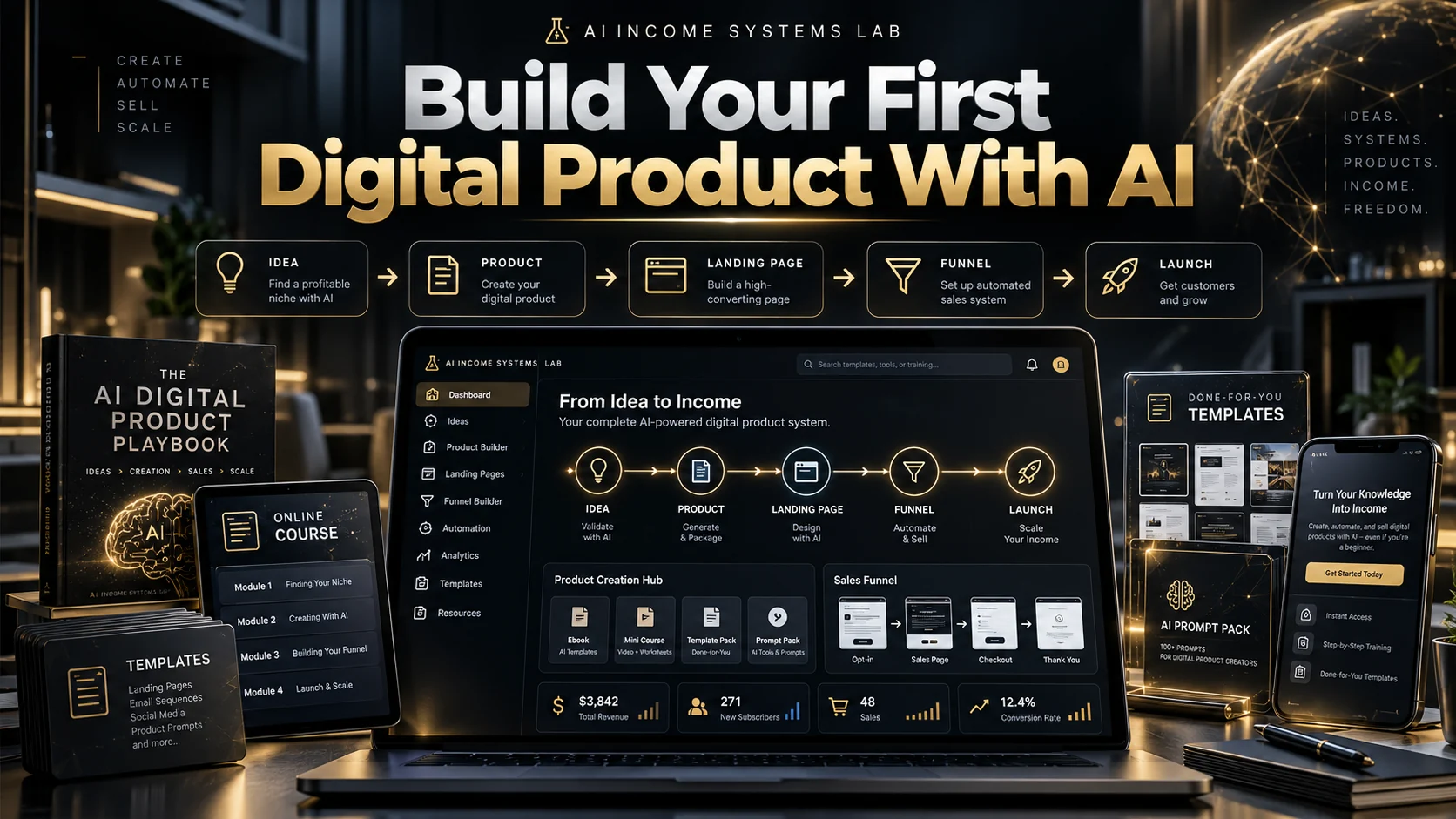
Build Your First Digital Product With AI
Pain point
You have useful knowledge but keep getting stuck between vague AI-generated ideas and a digital product you can actually finish and publish.
What it solves
Turns a vague product idea into a validated, packaged, priced, published, and promoted first digital product using a clear sequence and copy-paste AI prompts.
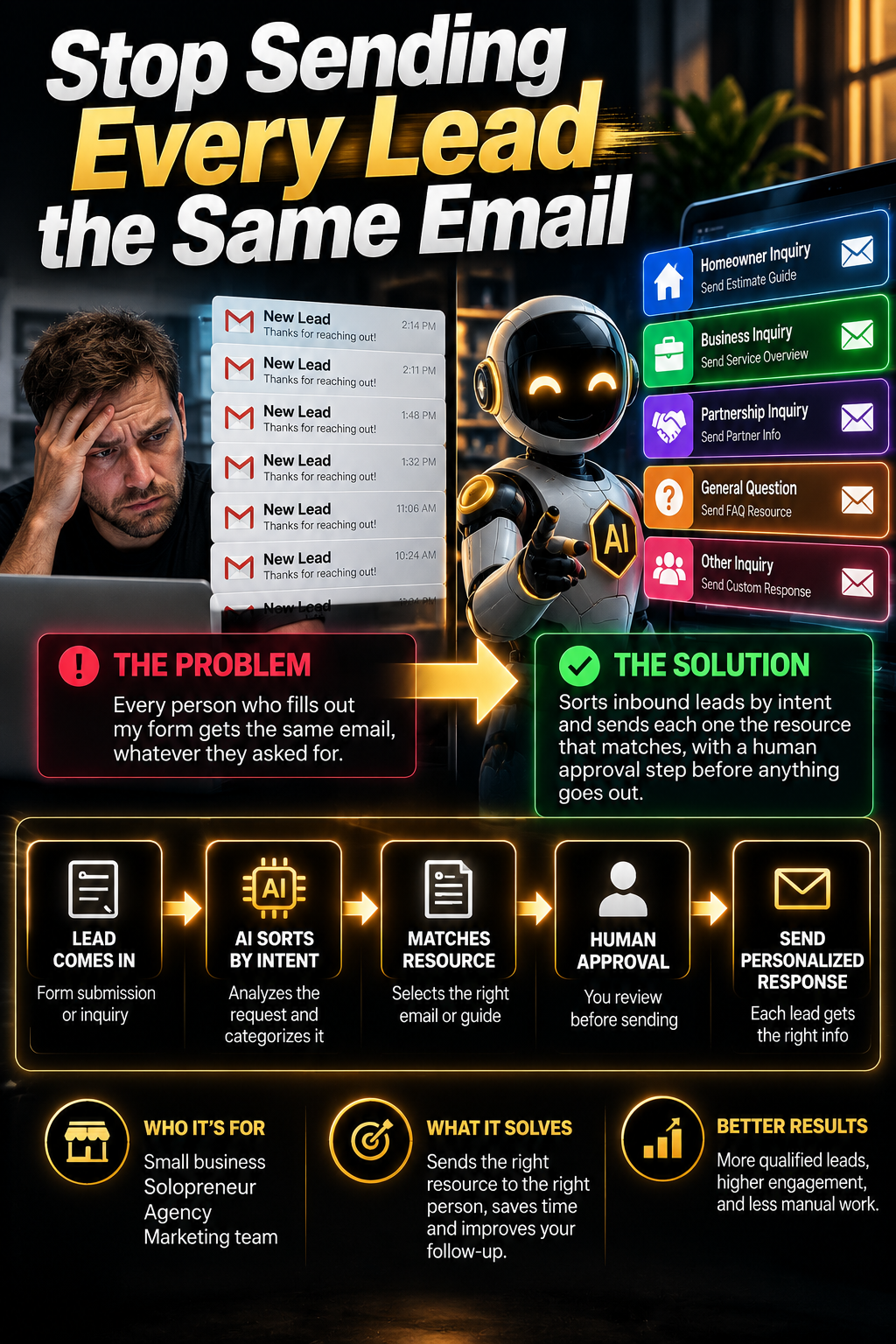
Stop Sending Every Lead the Same Email
Pain point
Every person who fills out my form gets the same email, whatever they asked for.
What it solves
Sorts inbound leads by intent and sends each one the resource that matches, with a human approval step before anything goes out.
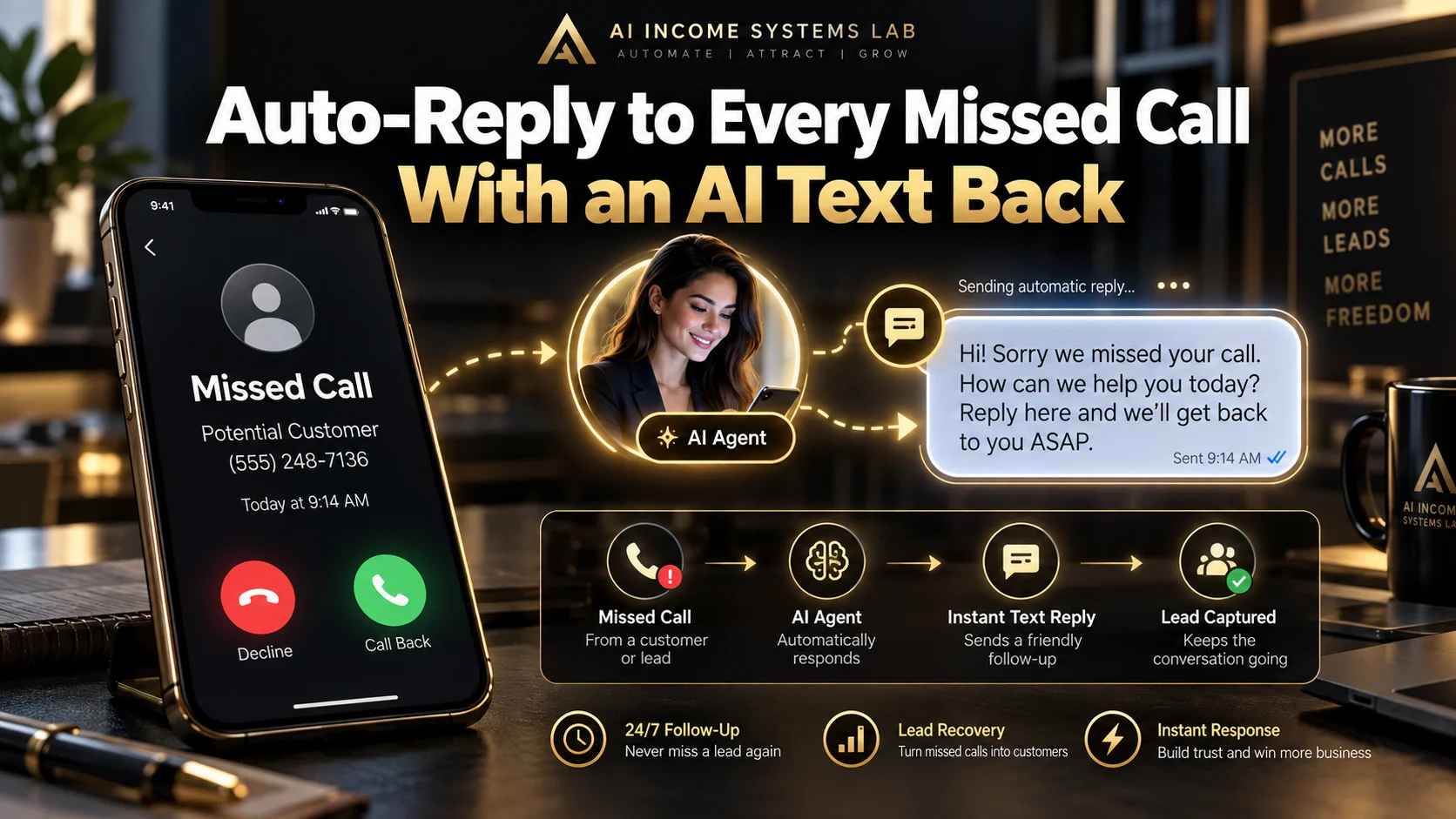
Auto-reply to every missed call with an AI text back
Pain point
Missed calls during jobs turn into lost work.
What it solves
Every missed call gets a fast, human-sounding text back so the caller stays with you.